
Shotcut
Shotcut is a free, open-source non-linear video editor for Windows, macOS, Linux and BSD.
Windows
Open source
DaVinci Resolve is Blackmagic Design's video editing, color grading and sound editing software, with a free version for Windows, macOS and Linux.
Average 0.0 · ratings: 0
Thank you! Your rating is saved; you can change it. Could not save the rating. Please try again later. Too many ratings from your network today. Please try again tomorrow. The average appears after 5 ratings.
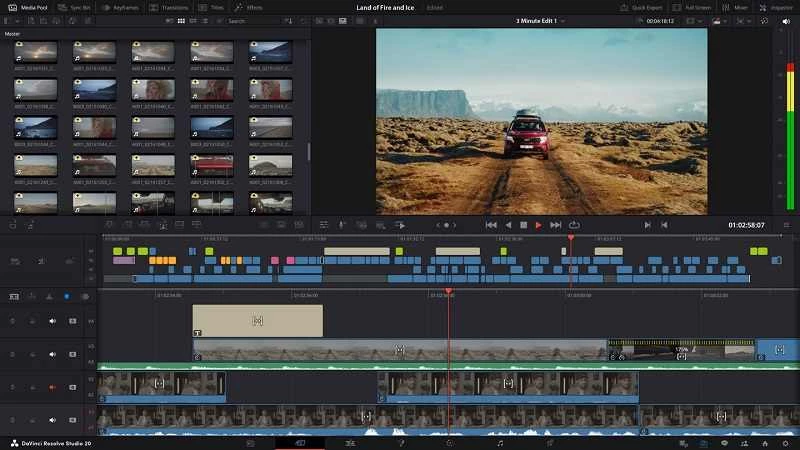
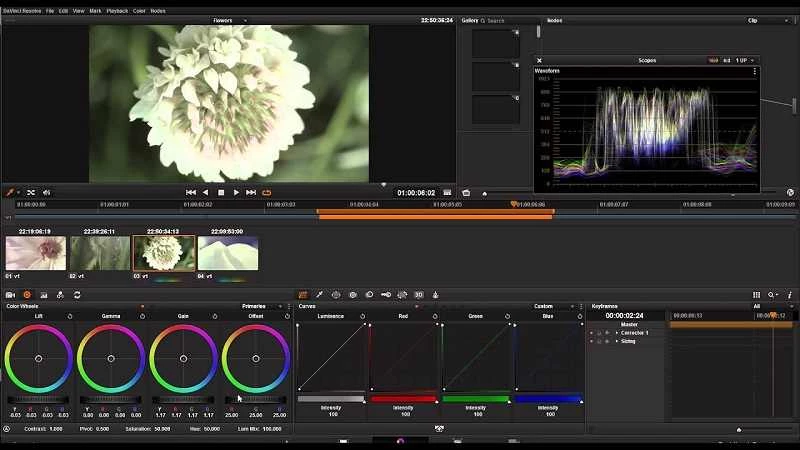
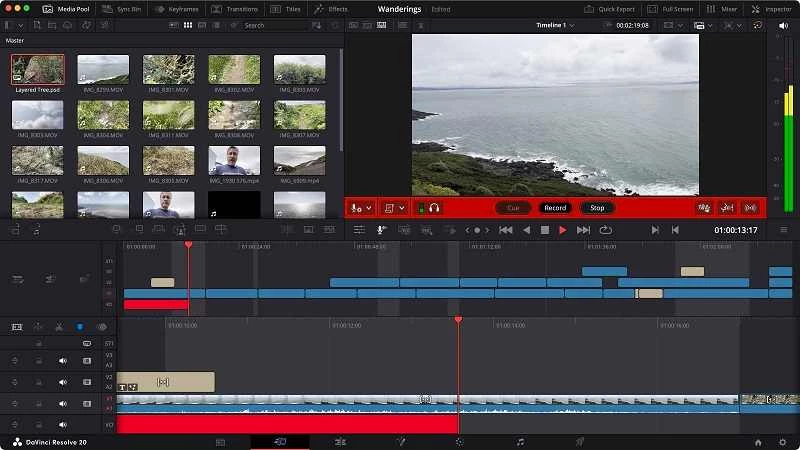
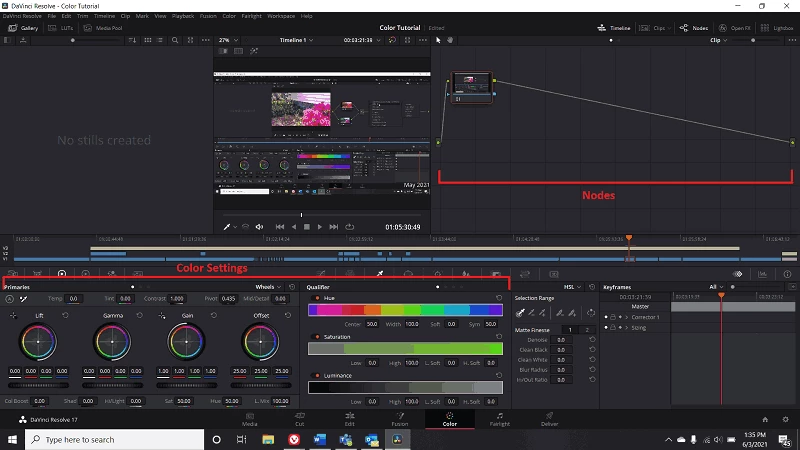
DaVinci Resolve 21.1 for Windows is Blackmagic Design's video editing software, and you can download the free version from the official Blackmagic Design website. It combines editing, color grading and sound editing in one application and runs on Windows 10 Creators Update, Windows 11 and Windows 11 for ARM.
Resolve was originally authored by DaVinci Systems, a name that dates back to 2004, and is now developed by Blackmagic Design. Its roots are in professional color grading, and that still shapes its audience. It suits people who want to grow into serious editing: YouTubers moving on from simple apps, students of film and media, freelance editors and small production teams. Colorists use it because grading is its strongest area, and sound editors can mix and clean audio without exporting to another program. The free version is generous enough for full projects, so it also appeals to hobbyists who dislike subscriptions. It is less suited to someone who needs a quick vertical clip for social media in five minutes; the learning curve is real, and the workspace assumes you are willing to learn it.
| Version | 21.1 |
|---|---|
| Developer | Blackmagic Design |
| License | Freeware (proprietary) |
| Uses | Video editing, color grading, sound editing |
| Systems | Windows, macOS, Linux, iPadOS |
| Size | about 3.44 GB according to catalogue data |
According to the official DaVinci Resolve tech specs, the Windows version supports Windows 10 Creators Update, Windows 11 and Windows 11 for ARM; on Linux, Rocky Linux 8.6 is listed. Check the same page for graphics card and memory recommendations before installing, because GPU support decides how smooth playback will be.
New features in each release are described on What's New.
Get Resolve only from blackmagicdesign.com. "Cracked" builds of the paid edition circulate on torrent sites and often carry malware. Keep your graphics drivers updated from the GPU maker's site for stable performance.
The standard version is free. Blackmagic Design also sells a paid edition with additional features for professional work.
Shotcut is a lighter free editor, CapCut is aimed at quick social videos, and OBS Studio handles screen recording. All are in the same video category.
Shotcut is a free, open-source non-linear video editor for Windows, macOS, Linux and BSD.

CapCut for Windows is ByteDance's desktop video editor, with a timeline, templates and export presets for short and long videos.

CapCut Web is ByteDance's online video editor that runs in the browser, with templates, text, effects and export for social media videos.

VLC media player is a free, open-source video and audio player for Windows from the VideoLAN team. The current release is 3.0.24.

Green Free Video Converter is a small free Windows program for converting video files between common formats for phones, players and editors.

Format Factory is a free Windows multimedia converter from Free Time for changing video, audio and image files between formats.

Streamlabs OBS, now called Streamlabs Desktop, is a free open-source Windows app for live streaming and recording with built-in alerts and overlays.

Free Cam is a free screen recorder for Windows from iSpring Solutions for recording screencasts with voice-over and trimming them before export.

TikTok for Windows is the desktop app of the short-video platform from TikTok Pte. Ltd., available free from the Microsoft Store.